

CSM radar for Matrice 300/350 RTK
Subscription products in your shopping cart
Set one delivery frequency for all subscription products in your cart every:
Subscription products in your shopping cart
CSM radar for Matrice 300 RTK
Designed to support the drone's built-in vision sensors, the unit has a detection range of 1 to 30 metres and provides comprehensive 360° horizontal coverage, detecting threats that may be missed by the drone's obstacle avoidance technology.
Pre-set the radar's detection range and the Matrice 300 RTK drone will stop when it approaches an object; this is particularly useful for complex missions.
An additional advantage is that the CSM module, which meets the IP45 immunity standard, can operate at night - when the drone's built-in vision system is not working - and in harsh weather conditions, enhancing safety during varied missions.
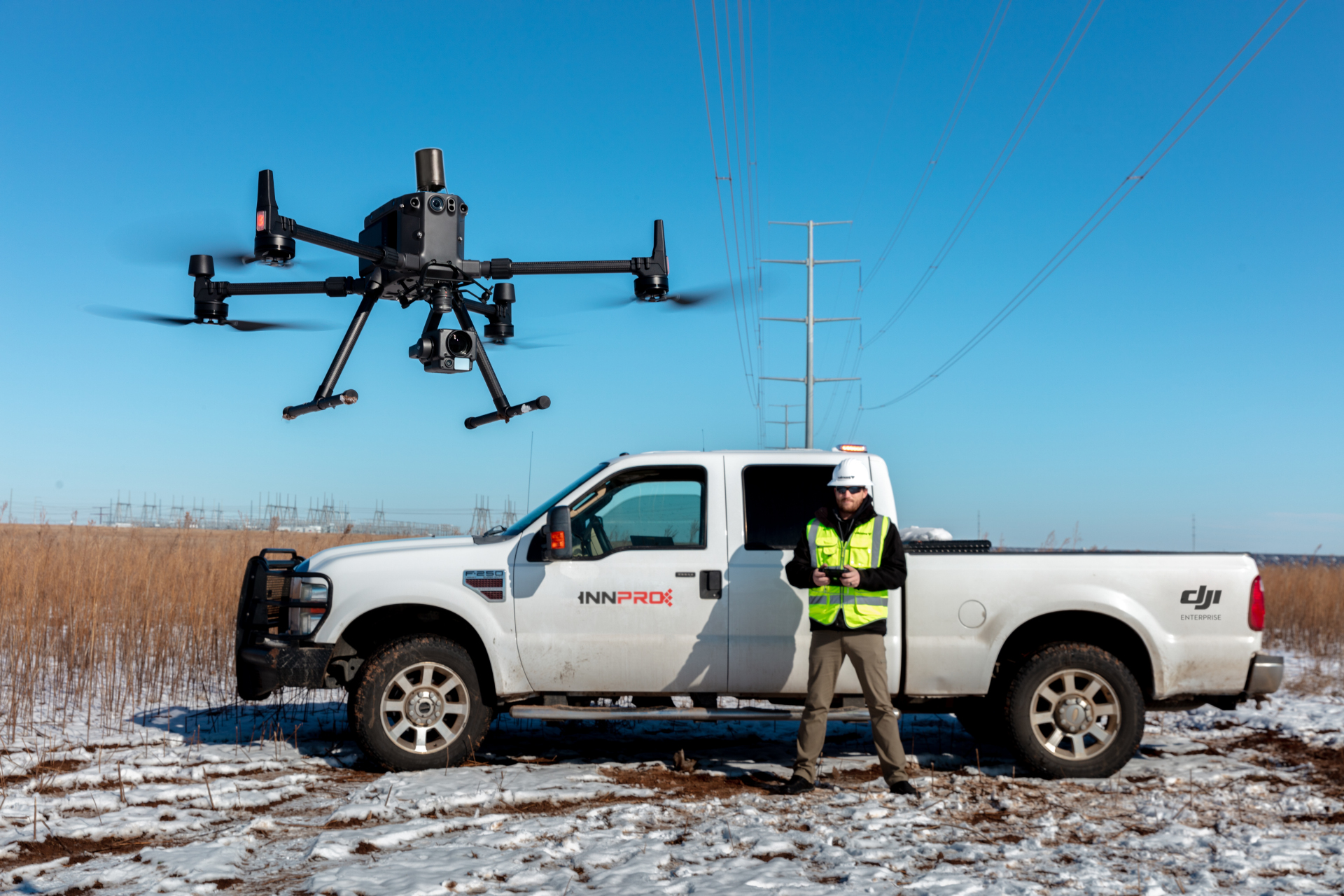
How does the Radar CSM work?
The Radar CSM attaches to the top of the M300 RTK, in place of the gimbal mount. The device can be connected to the drone via the PSDK port. When the radar is activated, it emits radio waves, which then bounce off objects and return to the receiver.This provides information about the object's location based on the time it takes for the waves to return.The radar can be switched on and off, and operators can choose to use it in conjunction with the drone's vision sensors or choose either of the two.

Object detection - alerting the operator
When obstacles are detected by the radar, the compass navigation display at the bottom of the Main Flight Display (on the controller screen) will display different colours:
- Red - Obstacles detected within the pre-set braking distance. The drone will come to a stop.
- Yellow - Obstacles detected within the warning area. The apparatus will beep slowly.
- Green - Obstacles detected within radar range but outside braking/warning distance.
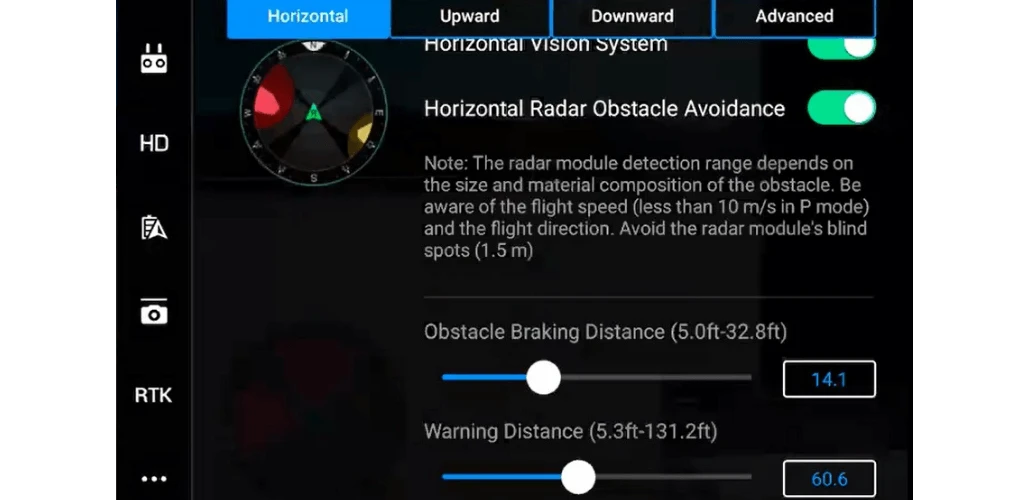 | In the example on the left, the braking distance in front of the obstacle is set to 3 metres and the warning distance is set to 18 metres. |
This means that the drone will stop if it detects an obstacle at 3 metres and the display will show red.
It is worth noting that it is recommended to set the braking distance to at least 2.5 metres.
If anything appears within 18 metres, the display will turn yellow and the control apparatus will beep slowly.
If the radar detects anything outside the set 18 metre area, there will be no notification and the display will turn green.
Collision avoidance system - increased protection
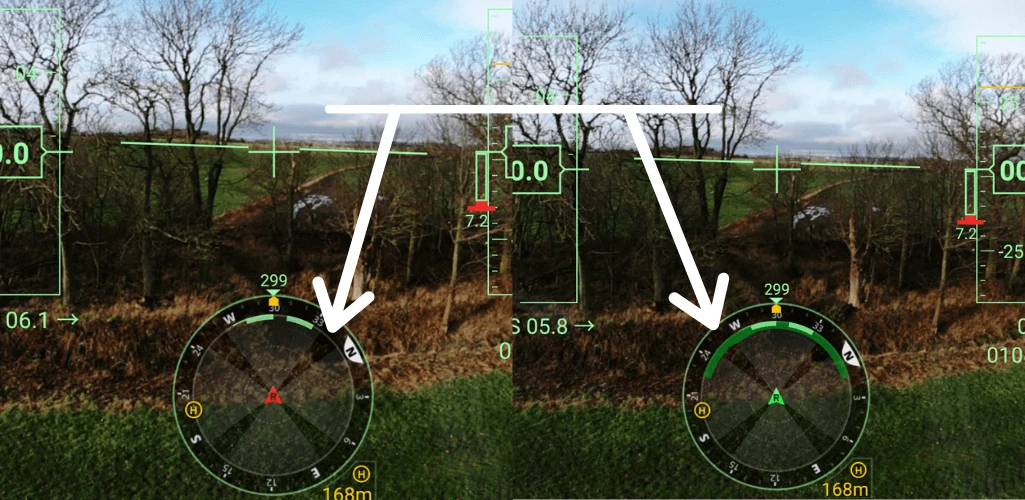
The radar is designed to detect obstacles that could be missed by the built-in sensors, either because they are too thin or are in the sensor blind spots.
- The image on the left - without the radar activated - shows a small area of green on the navigation display; i.e. fewer obstacles detected. Note also the white arrow pointing to the thin black - and blank - line on the display; this is one of the four blind spots preventing the detection of obstacles.
- The image on the right shows the same situation, but with the radar on. The green area is larger than before - it covers the dark black lines, helping to detect more objects and eliminate blind spots.
Detecting power lines - CSM radar in action
The CSM radar's ability to detect thin objects makes it particularly useful during complex missions. For example, when working near power lines, as the video above shows.
The initial sequences of the video show the Matrice 300 RTK drone flying near power lines without the radar active.
Yellow and green areas appear on the navigation display, but the drone is able to approach the cables because they are not detected by the drone.
Notice also that the yellow and green shades do not overlap with any of the four darker spheres of the display area, or blind spots.
But this all changes when the radar obstacle avoidance system is activated.
The drone immediately detects power lines ahead - and the display flashes red (eliminating blind spots, by the way). The drone then stops and no longer flies towards the cables.
It is worth noting that the CSM radar is a detection tool; it will not autonomously avoid any obstacles, nor will it assist the drone in determining position.
Performing missions at night
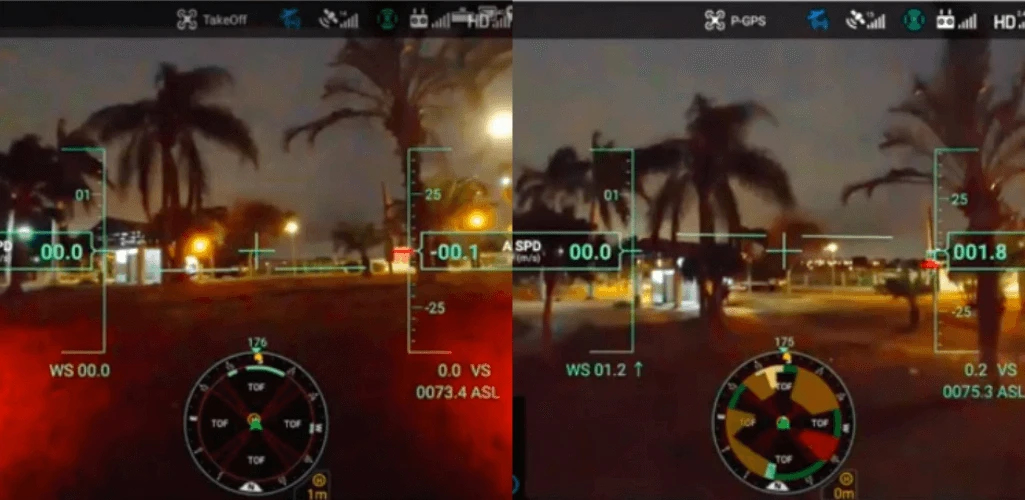
Another example shows the CSM radar in action during an evening flight when the drone's built-in vision system is not working.
In the image on the left, the radar is deactivated. However, when it is activated (image right), the display fills with colours as the CSM unit gets to work and starts detecting obstacles.
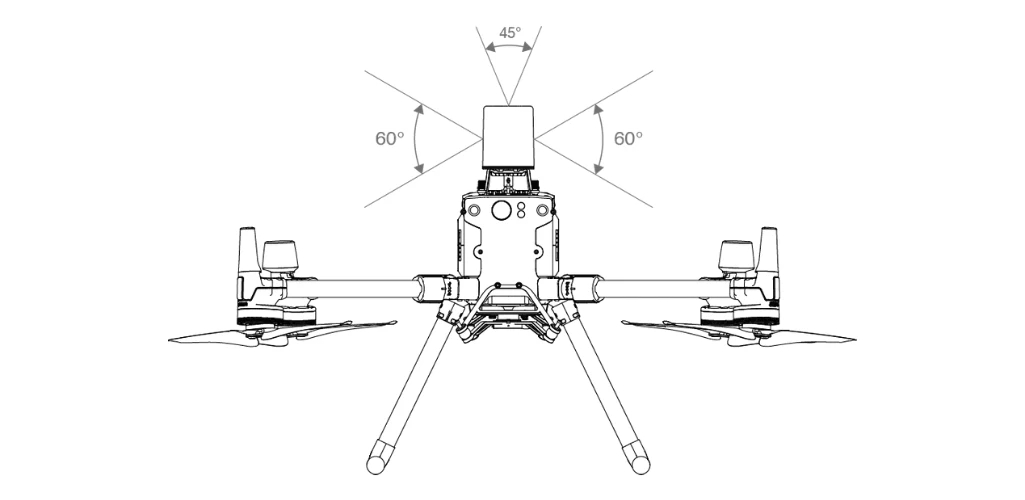
What is the radar's detection range?
The radar offers an extensive spectrum of coverage to give operators even more confidence when flying the M300 RTK:
- Horizontal direction: 360°
- Vertical direction: 60°
- Top direction: 45°
Radar detection range is from 1.5 metres to 30 metres.
Operators should be aware that the effective detection range varies depending on the size and material of the obstacle.
For example, when detecting highly reflective objects such as buildings, the effective detection range is maximum (30m).
In contrast, when detecting poorly reflective objects such as dry tree branches, the distance is approximately 15m.
Obstacle detection may not work properly in areas outside the effective detection range.
In summary, the CSM radar is an extremely useful addition for the M300 RTK drone that detects thin obstacles, operates at night and increases situational awareness. As a result, it enhances flight safety - making an incredibly reliable and safe drone even safer.
Kit contents
- 1x CSM radar
| Weight | 369 g |
|---|---|
| Degree of protection | IP45 |
| Detection range | Horizontal direction: 360° Vertical direction: 60° Top direction: 45° |
| Obstacle detection indication on the instrument cluster | Red: obstacles detected within the pre-set braking distance. The drone will stop. |
| Compatibility | Matrice 300 RTK, Matrice 350 RTK |